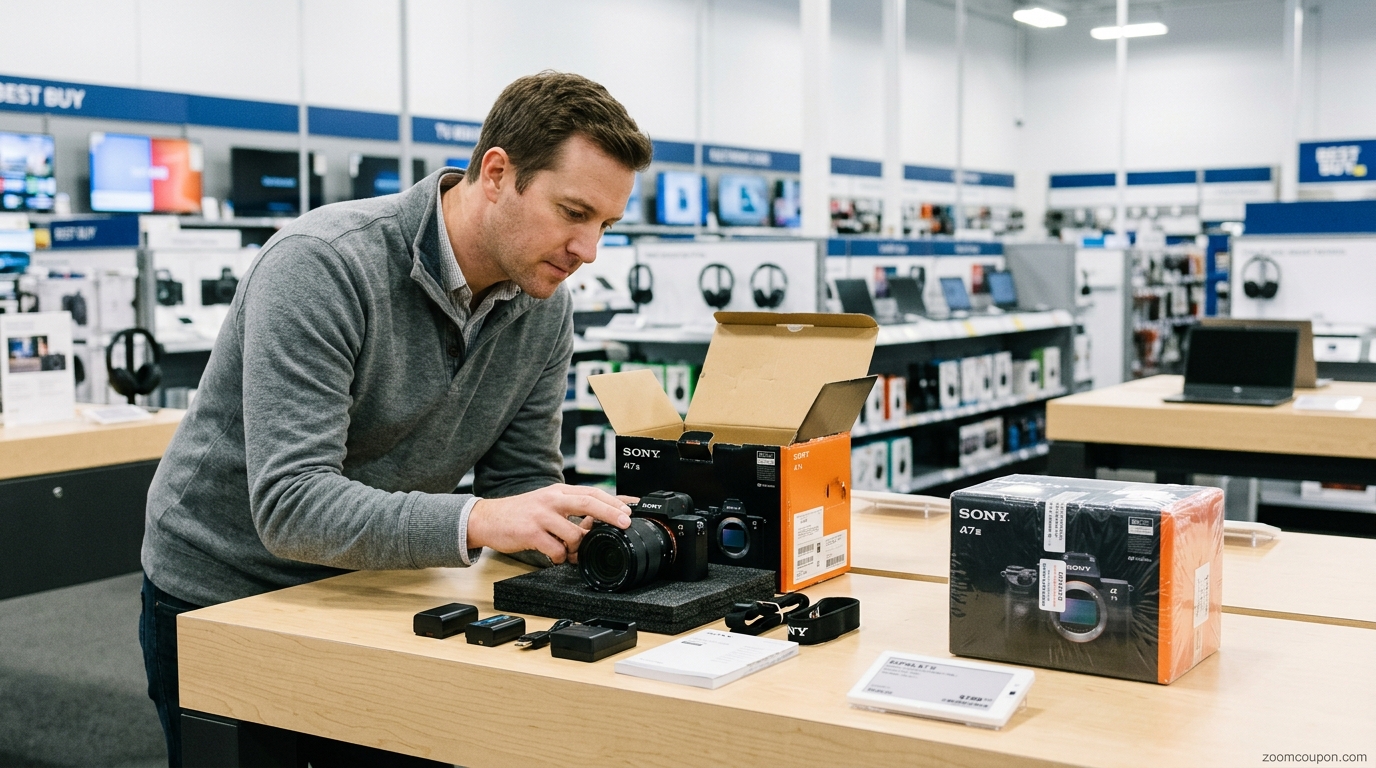
Buying something from Best Buy and changing your mind is usually straightforward—but the return process is not exactly the same for every product or shopper.
The return period can depend on what you bought, when you received it, whether you are a My Best Buy Plus or Total member, and whether the item was sold by Best Buy or a Marketplace seller. Some products also have restocking fees or cannot be returned at all.
Best Buy's current policy also covers more than brand-new merchandise. Its stated return and exchange periods apply to new, clearance, open-box, refurbished and pre-owned products, subject to the applicable terms.

- Explore More; Best Buy Open-Box vs. New: What Shoppers Should Know
Here's what Best Buy shoppers should know before starting a return or exchange.
How long do you have to return something to Best Buy?
For most products, Best Buy currently gives standard customers 15 days to return or exchange an eligible purchase.
My Best Buy Plus and My Best Buy Total members generally receive 60 days for most eligible products.
There is an important exception: activatable devices—such as cell phones, cellular tablets, mobile hotspots and cellular wearables—have a 14-day return period even for Plus and Total members. Verizon devices capable of activation have a 30-day return period for all customers.
| Purchase type | Standard | My Best Buy Plus / Total |
|---|---|---|
| Most products | 15 days | 60 days |
| Activatable devices | 14 days | 14 days |
| Verizon activatable devices | 30 days | 30 days |
The return clock begins the day you receive the product, according to Best Buy's current policy.
Because product-specific exceptions exist, shoppers should check the applicable policy for their particular purchase rather than relying only on the standard 15-day rule.
Can you return a Best Buy purchase to any store?
For purchases shipped from and sold by Best Buy, customers can return an in-store or online purchase to a Best Buy store.
For faster processing, Best Buy recommends bringing the packing slip or receipt and the credit card used for the purchase.
This can be convenient if you originally ordered online but would rather avoid shipping the product back.
However, Marketplace purchases and certain specialized products have different rules, so do not assume every BestBuy.com purchase follows exactly the same process.
How do you return a Best Buy purchase by mail?
Starting a Best Buy return is simple for most eligible purchases. You can return an in-store or online purchase at a Best Buy store, or ship it back using a prepaid return label. For an online return, sign in to your Best Buy account, open your order, select See Return Options, choose the item, and print the prepaid label. Guest orders can be accessed with your order number, last name and phone number. Pack the product with its original accessories and packaging, attach the label, and take the package to an authorized drop-off location. Return deadlines and exclusions vary by product.

For eligible products purchased from Best Buy, you can use a prepaid return label.
Best Buy's current return instructions say shoppers can log into their account, locate the order, choose the return options and print a prepaid label. Guest orders can also be retrieved using the order information requested by Best Buy.
Best Buy says return shipping through its prepaid label is available at no upfront cost, although an estimated return shipping fee may be deducted from the refund in applicable cases.
Some products cannot be returned through the standard shipping process, including certain major appliances, TVs over 50 inches, Kegerators and SodaStream makers. Additional restrictions can apply to lithium and specialty batteries.
So if your item is large, delivered by truck or contains regulated materials, check the return instructions before packaging it.
What condition does an item need to be in?
Best Buy says returned items should generally be in like-new condition.
Products that are damaged, unsanitary, dented, scratched or missing major contents may be denied a return. Apparel must be unworn and unlaundered with its original tags attached.
This is especially important if you are returning electronics.
Before sending an item back, keep:
- Original accessories
- Cables and chargers
- Manuals and documentation
- Packaging when available
- Product components
- Receipts or packing slips
Best Buy says missing accessories or packaging can result in a return being denied or a nonrefundable deduction from the refund.
Does Best Buy charge a restocking fee?
Some Best Buy products can have a restocking fee.
The current policy lists a $45 fee for activatable devices, excluding prepaid phones.
Certain other categories—including drones, digital cameras, camera lenses, camcorders, projectors and certain premium or specialty products—can have a 15% restocking fee.
There are exceptions. Best Buy states that no restocking fee applies when the product is unopened, and some states prohibit or otherwise affect the application of the fee.
Because the fee depends on the product category and circumstances, check the current policy before assuming your return will be free of deductions.

Which Best Buy products cannot be returned?
Not every purchase is eligible for a standard return.
Best Buy's current policy identifies nonreturnable categories that include:
- Custom and personalized orders
- Items marked Final Sale
- Non-subscription digital content
- Codes and prepaid cards
- Memberships
- Certain trading cards
- Certain high-capacity products
- Golf carts
- Utility terrain vehicles
- Electric bikes and electric mopeds
- Plumbing items
There are also products that become nonreturnable once opened, including certain consumables, SIM kits, LEGO products, products that interact with bodily fluids and other listed categories.
This is one reason shoppers should check the policy before opening a product they may need to return.
How do Best Buy exchanges work?
If you bought an eligible product directly from Best Buy and decide you want a different version, an exchange may be an option.
Best Buy says that, with some exceptions, customers can choose an exchange for the same item when the purchase was made with Best Buy.
For a straightforward exchange, bring the product and its original contents and packaging to the store when possible.
If the problem involves a damaged, defective or incorrect item, Best Buy provides special instructions and can arrange a replacement during the applicable return/exchange period.
What if your Best Buy item is damaged or defective?
If a product arrives damaged, defective or different from what you ordered, Best Buy says you should return it during the applicable return/exchange period.
For a product purchased directly from Best Buy, the company can arrange a replacement. Customers returning such an item by mail may need to contact Best Buy for special instructions.
Marketplace purchases follow a different process: customers generally need to notify the Marketplace seller through their Best Buy account and follow the seller's return instructions.
If something is clearly defective or incorrect, do not wait until the end of the return window to address it.
What happens if you bought from a Best Buy Marketplace seller?
This is one of the most important distinctions to understand.
A Marketplace purchase is not necessarily the same as a product sold directly by Best Buy.
Best Buy's current policy says Marketplace products generally have the same Standard return policy unless otherwise specified, but My Best Buy Plus and Total extended return timeframes do not apply to Marketplace purchases.
Marketplace returns can be started through your Best Buy account, and eligible products may be returned at a Best Buy store or shipped using a prepaid label. However, seller-specific restrictions, restocking fees and nonreturnable-product limitations can apply.
Before purchasing from a Marketplace seller, check:
Who is selling the item?
Who handles the return?
What return period applies?
Are there special fees or exclusions?
That information can be just as important as the product price.

- Explore More: Best Buy Deals: How to Find Current Offers and Save
How do Best Buy refunds work?
Best Buy says refunds are generally issued using the same payment method used for the purchase, with some exceptions.
For returns by mail, Best Buy says the return is processed within 7–10 business days after it is received, although the time for the refund to appear can also depend on the customer's bank.
If the original purchase involved a Best Buy Gift Card, the refunded amount is generally returned to a new Best Buy Gift Card or e-Gift Card.
So a returned item does not necessarily mean the money appears in your account immediately after you hand over the package.
What if you don't have proof of purchase?
Returns without proof of purchase can be more complicated.
Best Buy states that reimbursements without proof of purchase may require an email address, may be issued as store credit, may be limited or may be denied. State taxes and fees may also not be reimbursed.
The easiest approach is to keep your:
- Receipt
- Packing slip
- Order number
- Best Buy account order history
Digital records can be especially useful for online orders.
What happens to free gifts or bundle discounts?
Be careful when returning part of a bundle.
If you received a discount or free item because you purchased multiple products together, Best Buy says you can lose that benefit if you do not return all items included in the qualifying purchase.
For example, returning only one part of a promotional bundle may change the value of the refund.
Before splitting up a bundled purchase, review how the original promotion was structured.
What should you do before returning a phone, laptop or connected device?
Connected electronics need extra preparation.
Before returning a phone, tablet, computer or other connected device, make sure your personal information has been removed and the device is no longer linked to your cloud account or another device.
Best Buy specifically says connected and Wi-Fi devices need to have their data removed and their cloud connections disconnected before they can be accepted for return.
A practical checklist:
Back up your data.
Sign out of your accounts.
Disable device-tracking features where applicable.
Remove SIM cards when appropriate.
Factory-reset the device.
Include required accessories.
For phones with carrier contracts, customers are responsible for cancelling their service contract and associated carrier charges.

What about major appliances and large items?
Major appliances require more planning than a typical small electronics return.
Best Buy recommends inspecting a major appliance before accepting delivery. If there is an issue, the customer may refuse delivery. Once the appliance has been accepted, Best Buy says customers should contact the company promptly about defects, damage or other issues.
Some heavy products may also need to be returned directly to the manufacturer rather than to a Best Buy store.
That means appliance shoppers should not treat a large delivered product like a small package that can simply be dropped off at a store.
Best Buy Return Checklist
Before starting a return, use this quick checklist:
☐ Check your return deadline.
☐ Confirm whether you are a Plus or Total member.
☐ Check whether the product has a special return period.
☐ Confirm whether the item is sold by Best Buy or a Marketplace seller.
☐ Find your receipt or order information.
☐ Gather the original accessories and packaging.
☐ Check for possible restocking fees.
☐ Back up and remove personal data from connected devices.
☐ Check whether the item is nonreturnable or has an opening restriction.
☐ Choose store return or the appropriate shipping method.
Are Best Buy Plus and Total memberships useful for returns?
For shoppers who make frequent Best Buy purchases, the extended return period can be one of the membership benefits worth considering.
Best Buy currently gives My Best Buy Plus and My Best Buy Total members 60 days for most eligible products, compared with 15 days for standard customers. Activatable devices remain at 14 days, and the extended timeframe does not apply to Marketplace purchases.
This does not automatically make a membership worthwhile for every shopper.
The value depends on whether you will use the return extension alongside the membership's other benefits, such as member pricing, shipping and other services.

Best Buy Returns vs. Exchanges: Which Should You Choose?
| Situation | Usually consider |
|---|---|
| You simply changed your mind | Return |
| You want the same item replaced | Exchange |
| Product arrived damaged | Replacement/return |
| Product is defective | Replacement/return |
| You received the wrong product | Return/replacement |
| You want a different model | Return and purchase the preferred model, subject to applicable terms |
| Marketplace product has a problem | Follow Marketplace seller's process |
The correct option depends on the purchase and applicable policy. When in doubt, check the order details and current Best Buy return instructions before sending anything back.
Final Verdict
Best Buy's return policy is relatively straightforward for ordinary purchases, but the details matter.
For most products, the standard return period is currently 15 days, while My Best Buy Plus and Total members generally receive 60 days on eligible purchases. But activatable devices, Marketplace purchases, major appliances, special-order products, nonreturnable items and products subject to restocking fees can follow different rules.